
🖼️ Avatar Photo Hosting
When a player picks up a license, the script captures their character portrait in-game and needs
somewhere permanent to store that image so it can be shown on the license, in the MDT, and in
player profiles. The License System hands this off to an image host that you choose in
configs/s.imagehost.lua.
There are two hosting paths:
webhook(recommended, default) — the photo is uploaded to a Discord-format webhook URL. Use an uploadhub.gg webhook (see below) so the links never expire.custom— you host the image yourself (Imgur, S3, your own CDN, …) via theUploadAvatarImagehook. See s.imagehost.lua.
Do not paste a raw Discord webhook here. Discord's CDN links now expire after a while, so every license photo will eventually turn into a broken image. Use an uploadhub.gg webhook instead — it gives you a Discord-format URL but hosts the images permanently.
Recommended: uploadhub.gg
uploadhub.gg hands you a Discord-format webhook URL while hosting every uploaded image permanently (links never expire). Set it up in a few minutes:
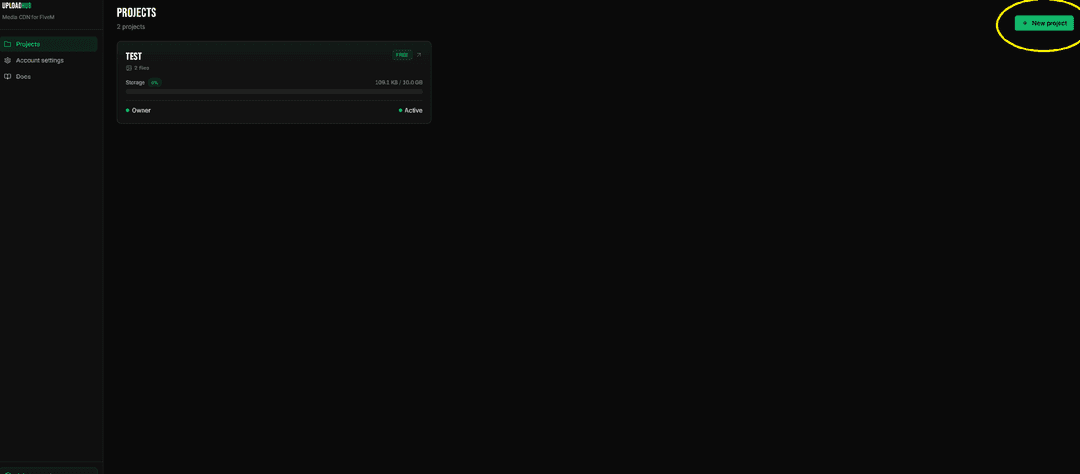
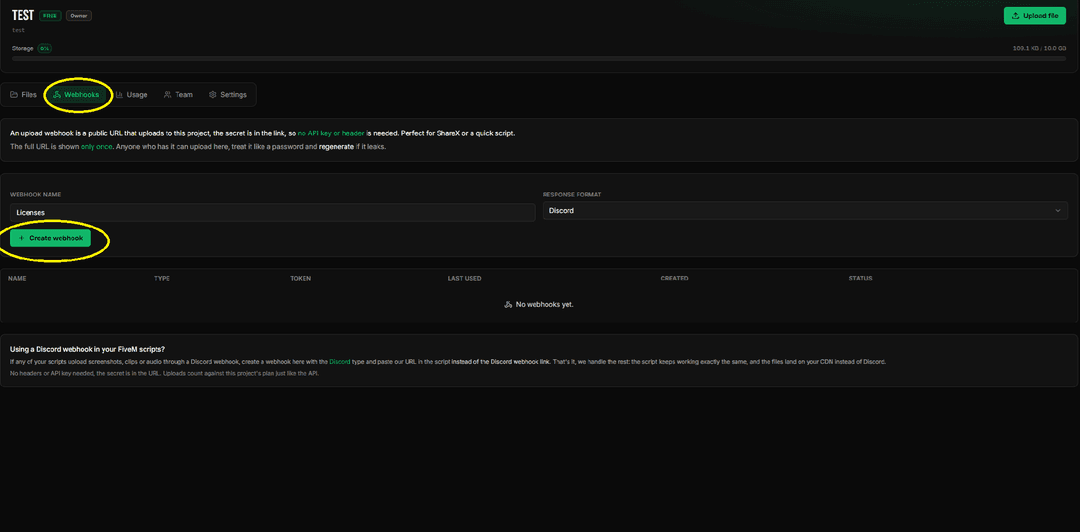
Generate a Discord-format webhook
Open the Webhook tab and generate a new webhook with the format set to Discord.
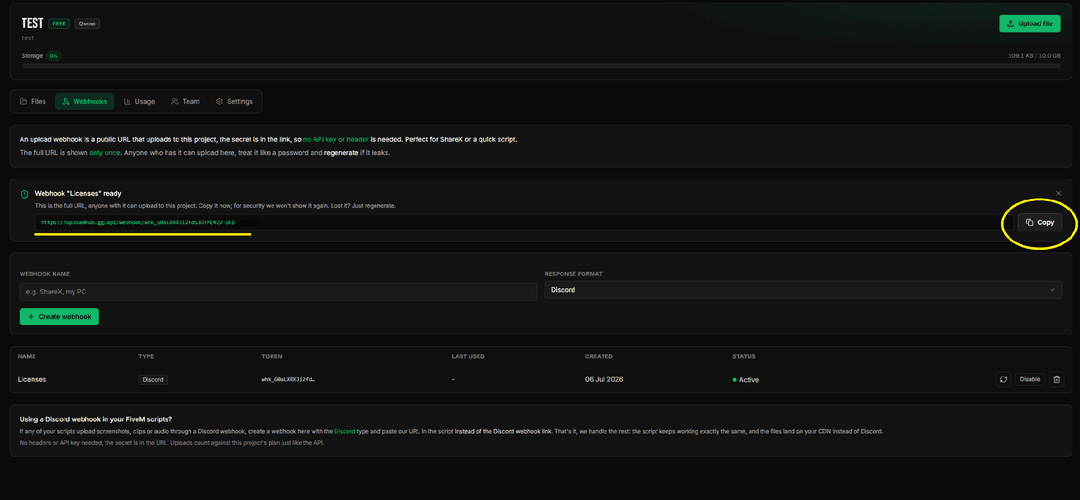
Copy the webhook URL
Copy the generated webhook URL.
Paste it into the config
Open configs/s.imagehost.lua, keep provider = "webhook", and paste the URL into the webhook
field.
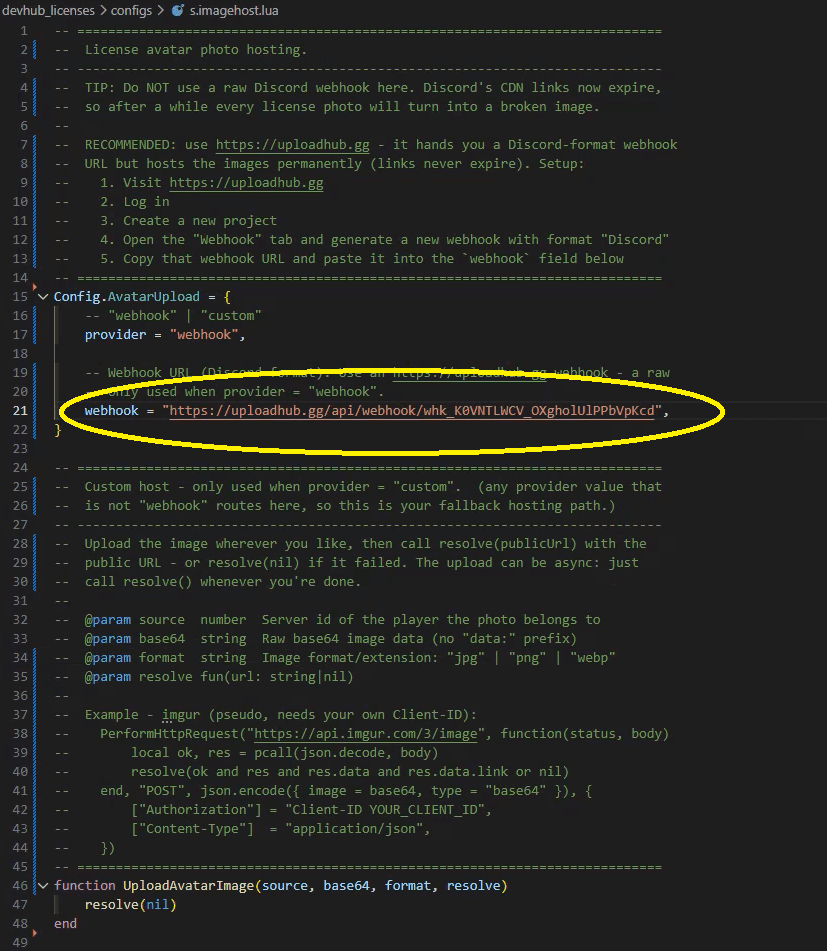
Config.AvatarUpload = {
    provider = "webhook",
    webhook = "YOUR_UPLOADHUB_WEBHOOK_URL",
}Restart the resource
Restart devhub_licenses. New license photos will now upload to your uploadhub.gg project and stay
online permanently.
Prefer to host images on your own infrastructure (Imgur, S3, a private CDN)? Set
provider = "custom" and implement the UploadAvatarImage hook instead — see the config page below.